
My Manpower – Job Search
Manpower MobileBusiness
3.3124.00 Reviews
- Version
- 7.5.1
- Installs
- 500.00K
- Age Rating
- Everyone
Screenshots
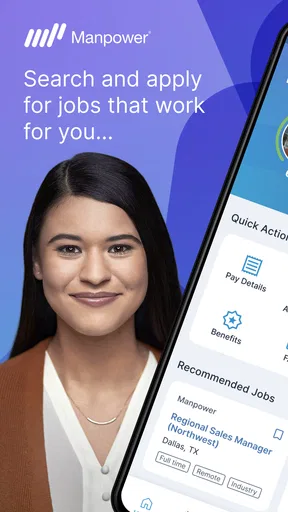
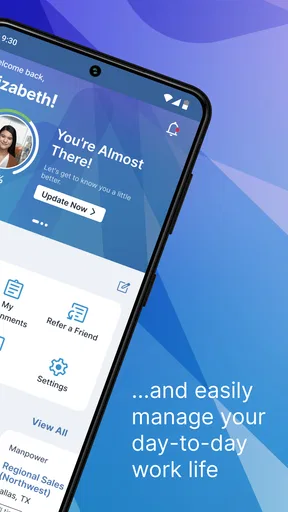
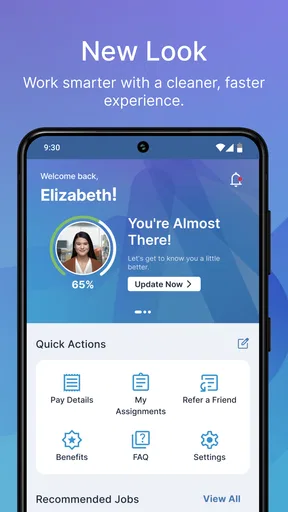
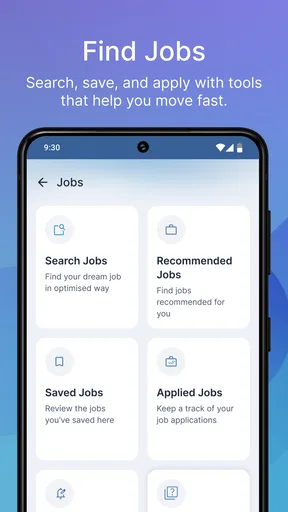
Our Review of My Manpower – Job Search
 Analysis by Appyee
Job hunting often fails for a simple reason: useful information is scattered across too many places. I may have a profile on one service, messages in my email, application notes in a phone document, and a separate list of vacancies that still need attention. My Manpower – Job Search is built around reducing that shuffle. It is a free business app from Manpower Mobile, and its purpose is straightforward: give people a direct place to manage their relationship with Manpower while looking for work.
After using it, I see the app less as a universal replacement for every job board and more as a focused doorway into the Manpower employment process. That distinction matters. If you are already interested in opportunities handled by Manpower, the app can make the search feel more organized and easier to revisit. If you want one giant marketplace covering every employer and recruitment agency, a broad job platform may still be the better companion.
The public store summary describes it as “Your career starts here,” while the short description identifies it simply as “My Manpower.” Those phrases are brief, but they set the right expectation: this is a career-access tool rather than a general productivity app. I tested it with that practical question in mind: does it save time during a real job search, or does it merely add another place to check?
Making the job search less scattered
I find the search easier to manage when I decide what I need to do before opening the app: check relevant openings, assess fit, or follow up on an application. Keeping those as separate tasks helps me avoid aimless browsing and makes each visit more useful. Next, I’d look at the choices and checks that matter when deciding how much of my job search to handle here.
The recurring problem this app addresses
The hardest part of searching for work is not always finding a vacancy. It is keeping track of what happened afterward. Did I already apply? Was the role suitable for my schedule? Did I need to update my experience before responding? Should I check for a reply today or wait? When these small decisions live in different apps, the search becomes tiring before the interview stage even begins.
My Manpower – Job Search is useful because it gives a Manpower-focused search a more consistent starting point. Instead of treating every opening as an isolated web page, I can return to the same app when I want to continue the process. That continuity is the main practical benefit I noticed. It does not magically remove the work involved in choosing a role, but it can reduce the repeated effort of remembering where to begin.
This is especially relevant for people applying to several roles over a short period. A focused recruitment app can be easier to revisit than a collection of browser tabs, particularly when I am checking from a phone during a commute, lunch break, or quiet moment at home. The gain is not dramatic in one session. It comes from avoiding the same setup work every time.
The app belongs to the business category, which fits its purpose better than a social or general career label would. It is intended for employment activity, not for casual browsing or professional networking. That focus is welcome, although it also means the experience depends heavily on whether Manpower opportunities match the kind of work I want.
What the first setup feels like
The first useful setup is not simply installing the application. I get more value when I decide beforehand what I am looking for: preferred work type, location, availability, and the experience I want an employer to notice. Even when an app makes searching easier, unclear criteria still produce a noisy result. Spending a few minutes defining those priorities helps me judge openings quickly instead of opening every possible listing.
I also recommend preparing the information commonly needed during a job search before starting. That means having an up-to-date work history, a clear description of recent responsibilities, and a reliable way to respond to messages. The app can make access more convenient, but it cannot compensate for an incomplete or outdated candidate profile. In my experience, the best time-saving workflow begins before the first application is sent.
One useful habit is to treat the app as the control point for Manpower-related activity, while keeping a separate personal note for applications made elsewhere. That avoids a common mistake: assuming one recruitment app is a complete record of every application. A simple note with the employer, role, date, and next action prevents duplicate applications and makes follow-up less confusing.
The current version is 7.5.1 and the app requires Android 9 or later. That makes checking device compatibility worthwhile before planning to use it as a primary job-search tool. On a compatible phone, I would still keep the operating system and the app current, because employment searches are time-sensitive and an avoidable technical issue is particularly frustrating when a suitable opening appears.
How I would use it during an ordinary week
Imagine someone who works irregular shifts and is trying to move into a more stable position. On a weekday evening, that person can open the app, review relevant Manpower opportunities, and decide which ones fit the next month rather than applying impulsively to everything. The important step is to compare each role with real availability. A vacancy that looks attractive but conflicts with existing commitments is not a time-saving discovery.
After selecting a suitable opportunity, I would record the next action immediately: finish an application, prepare a question, check for a response, or leave the role aside. This small discipline turns browsing into progress. The app can serve as the place where I begin and revisit the search, while the note acts as a personal layer of organization that remains useful across different recruitment services.
For someone returning to work after a break, the same workflow can be gentler. Rather than searching for hours, I would use short sessions and focus on a small number of realistic roles. The advantage of a dedicated Manpower app here is concentration. I am less likely to drift into unrelated career content, and I can spend the available time evaluating fit instead of endlessly scrolling.
For an experienced worker who already knows the target role, the value is different. The app may be most useful as a quick access point for checking opportunities connected to Manpower, especially when that agency is already part of the person’s employment plans. In that case, convenience matters more than discovery. It is a practical check-in tool rather than a complete career strategy.
Where the friction is genuinely reduced
The clearest friction removed is the repeated need to begin from scratch. A dedicated app keeps the job-search action close at hand, which is more convenient than remembering a website address or searching through old messages. That sounds minor, but job hunting is full of minor interruptions. Removing several of them can make it easier to maintain momentum.
Another benefit is psychological. A search that is always spread across unrelated services can feel unfinished even when I have made progress. Returning to one recognizable place gives the process a clearer rhythm: check, assess, act, and return later. I would not call that a replacement for careful record-keeping, but it does make the work feel less chaotic.
The app is also free, so there is no purchase decision standing between a potential user and a trial. That is important for job seekers who are already managing a tight budget. The content rating is Everyone, which makes the app broadly suitable from an age-classification perspective, although the usefulness of its opportunities will naturally depend on the individual’s circumstances and employment goals.
Its adoption suggests that it has reached a meaningful audience: the app has over five hundred thousand installs. The average rating is 3.3 from around two thousand eight hundred ratings, so I would approach it with balanced expectations rather than assuming every user will find the experience equally smooth. Those figures point to an established app with room for improvement, not an effortless solution that will suit every search.
Practical habits that make it more useful
My first tip is to use the app at a fixed time instead of checking it constantly. A short, planned review reduces distraction and makes it easier to compare roles calmly. If I open a job-search app whenever I remember it, I may spend more time browsing without making decisions. A routine turns the app into a tool rather than another source of digital noise.
My second tip is to separate “interesting” from “actionable.” An opening can be interesting because the title sounds good, while an actionable opening matches location, availability, experience, and timing. I would only move a listing forward when it passes those practical tests. This is where the app saves the most time: not by making every role suitable, but by giving me a convenient place to make the suitability decision.
My third tip is to review the wording of my work history before applying to a different type of role. A profile written for warehouse work may not present customer-service strengths clearly, and a profile aimed at office work may hide useful technical experience. I would adjust emphasis for the role while keeping the information truthful. A recruitment app is only as effective as the information I bring to it.
A fourth useful habit is to protect follow-up time. After applying, I would note when I plan to check again and what I need to prepare if contacted. This prevents the common situation where an application is submitted and then forgotten. The app can support the search, but a personal follow-up routine is what turns an application into an active process.
What it does not replace
My Manpower – Job Search should not be confused with a broad professional network, a general-purpose job aggregator, or a full personal career-management system. Those alternatives may offer wider employer coverage, richer networking, more extensive filtering, or tools for tracking applications across many sources. If I am exploring the entire market and have no particular connection to Manpower, I would begin with a general job platform and use this app selectively.
It is also not the right choice for someone who expects career advice, interview coaching, salary research, or a detailed portfolio-building workspace from the same application. Those needs require different tools and often personal research. The focused nature of this app is a strength when I want Manpower-related employment access, but it becomes a limitation when I expect an all-in-one career suite.
Users should also be prepared for the possibility that convenience does not eliminate every point of friction. A mobile interface can make searching easier, yet typing a complete work history on a phone may still be slower than using a computer. I would prepare important text in advance and review every field before submitting anything. Speed is valuable only when it does not create avoidable mistakes.
The rating of 3.3 and the presence of around one hundred twenty-four written reviews also suggest that the experience deserves a personal trial rather than blind commitment. Different job seekers will judge the app differently depending on their region, role, expectations, and previous contact with Manpower. I would install it, test the search process, and decide quickly whether it produces relevant opportunities without making it the only channel I use.
Who should install it
I would recommend the app to people who are actively considering Manpower opportunities, want a free mobile entry point, and prefer a focused employment experience over a crowded general marketplace. It is also a sensible option for users who frequently search from a phone and want to return to the same service without rebuilding their process each time.
It may be particularly helpful for shift workers, people changing jobs, and candidates who need a simple routine for checking opportunities. In those situations, the main benefit is not a spectacular feature. It is the reduced distance between deciding to search and actually taking the next step.
I would be more cautious about recommending it as the sole job-search method to people seeking highly specialized roles, international opportunities, or openings across many agencies. They will probably need broader platforms, employer career pages, professional contacts, or specialist communities as well. Keeping this app in that wider mix can still be sensible, but relying on it alone could narrow the search unnecessarily.
My final view after weighing time and reliability
The strongest reason to use My Manpower – Job Search is the reduction of repeated effort. It gives a Manpower-centered job search a convenient place to start and revisit, and its free access lowers the barrier to trying it. I appreciate that it can support short, purposeful sessions instead of forcing every search to become a long desktop task.
At the same time, I would not describe it as a complete answer to job hunting. Its value is closely tied to whether Manpower is relevant to the roles I want, and the middling average rating is a reminder to judge the experience on my own device. I would pair it with a simple application log, prepare my profile carefully, and keep a broader search channel open when necessary.
Developed by Manpower Mobile, the app is a reasonable practical choice for candidates who want direct access to a Manpower-focused employment workflow. It is free, rated for Everyone, and available for compatible Android devices running version 9 or newer. My recommendation is straightforward: try it if Manpower is already part of your plan, use it deliberately, and keep another route available if your career search needs wider coverage.
In my experience, that is where the app makes the most sense. It does not remove the decisions, preparation, or patience that finding work requires. It removes some of the needless searching around those decisions. For the right user, that modest improvement can be enough to make the process more consistent, less scattered, and easier to keep moving.
Verdict
Strengths of My Manpower – Job Search
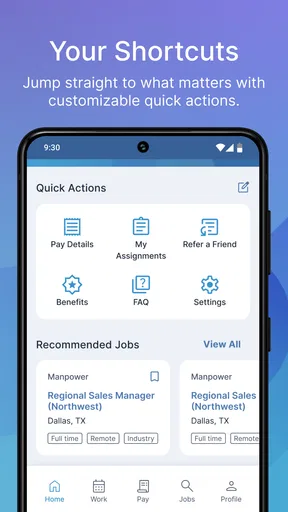
- Browse vacancies and apply from your smartphone.
- Useful filters help narrow jobs by location and category.
- Access to Manpower’s recruitment opportunities in one place.
- Profile tools can simplify sharing your experience with recruiters.
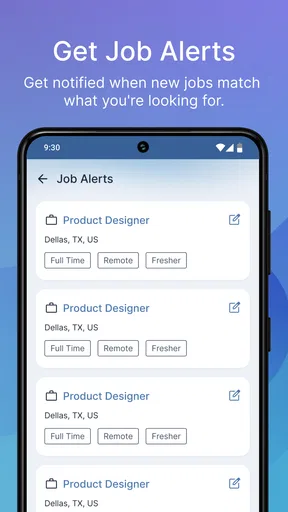
- Job alerts may help you discover suitable openings quickly.
Limitations of My Manpower – Job Search
- Available vacancies depend heavily on your country and local Manpower branch.
- Some listings may redirect you to external application pages.
- The number of jobs can vary significantly by industry and region.
- You may need to create an account before using key features.
- Recruitment responses and application updates may not be immediate.
Similar Picks in This Category
View All
LinkedIn: Community & Network
LinkedIn3.8

Zoom Workplace
zoom.com4.1

Microsoft Teams
Microsoft Corporation4.6

Meta Business Suite
Meta Platforms, Inc.4.6

Webex Meetings
Cisco Systems, Inc.4.5

TeamViewer Remote Control
TeamViewer4.4
Frequently Asked Questions
What is My Manpower – Job Search, and who is it designed for?
My Manpower – Job Search is a recruitment and career app intended to help job seekers discover employment opportunities and manage their job search from a mobile device. It is mainly useful for people looking for temporary, permanent, part-time, or contract work through Manpower and its associated recruitment services. Available features and vacancies may vary depending on your country and local Manpower office.
How do I search and apply for jobs in My Manpower – Job Search?
After creating or accessing your account, you can typically browse available vacancies using keywords, location, job category, employment type, and other filters. Opening a listing lets you review its description, requirements, schedule, and application information. If the position suits you, follow the in-app instructions to submit your profile or application. Some roles may require additional documents or contact with a recruiter.
Do I need an account to use My Manpower – Job Search?
You may be able to browse certain job listings without registering, but an account is generally needed to apply for positions, save opportunities, manage your profile, receive updates, or communicate with recruiters. During registration, the app may request personal, professional, and contact information so employers or recruitment consultants can evaluate your suitability. Always check that your profile and CV details are accurate before applying.
Is My Manpower – Job Search free to download and use?
The application is generally free for job seekers to download and use, although availability can depend on the Android or iOS store in your region. Standard internet or mobile data charges may apply when browsing vacancies, uploading documents, or receiving notifications. Be cautious of anyone requesting payment to access a job, guarantee employment, or process an application, since legitimate recruitment services normally explain their fees and conditions clearly.
What personal information does the app require, and is it safe to use?
A recruitment app may request information such as your name, contact details, work history, education, CV, availability, and preferred job locations. This information is used to create your candidate profile, match you with vacancies, and allow recruiters to contact you. Before registering, review the app’s privacy policy and permissions, use a strong password, and avoid submitting sensitive information that is not necessary for the application process.
